SiNi Configuration
4 min
If the plugins UI appear to missing from your screen, it might be they have opened off-screen. To reset them please use the config tool.
3ds Max location
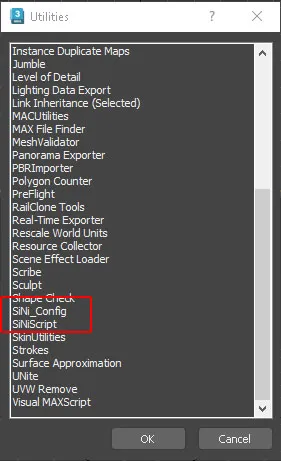
Side menu/ Utilities/ Scroll down to locate the SiNi_Config
Parameters
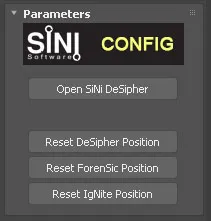
Open SiNi Desipher
Opens the Desipher license manager
Reset Desipher Position
If you use a multi-screen configuration clicking on this will re-locate the UI position to the top-left of your main screen.
Reset Forensic Position
If you use a multi-screen configuration clicking on this will re-locate the UI position to the top-left of your main screen.
Reset IgNite Position (All IgNite collection plugins)
If you use a multi-screen configuration clicking on this will re-locate the UI position to the top-left of your main screen.